Building a Chat Assistant with Gradio UI and Ollama
- By Arusha Shahi
I built a Customer Assistant for a clothes store that sells hats and dresses. The goal: a Gradio chat UI backed by Ollama that gently steers shoppers toward hats on sale — using system prompts and multi-shot prompting. Here’s the pattern, plus examples and use cases.

The idea
Generic chatbots answer questions. Retail assistants need a persona, inventory rules, and a sales nudge. This demo uses Gradio’s ChatInterface, streams from a local Ollama model (llama3.2), and encodes store policy in the system message — including a multi-shot style example.
Live demo: Customer Assistant on Gradio.
Step 1: Start with ChatInterface
Gradio already knows how to render history, stream tokens, and collect user input. Your job is a chat(message, history) function that yields the assistant reply.
from openai import OpenAI
import gradio as gr

ollama = OpenAI(base_url=OLLAMA_BASE_URL, api_key="ollama")
MODEL = "llama3.2"

def chat(message, history):
    history = [{"role": h["role"], "content": h["content"]} for h in history]
    messages = (
        [{"role": "system", "content": system_message}]
        + history
        + [{"role": "user", "content": message}]
    )
    stream = ollama.chat.completions.create(
        model=MODEL, messages=messages, stream=True
    )
    response = ""
    for chunk in stream:
        response += chunk.choices[0].delta.content or ""
        yield response

gr.ChatInterface(fn=chat).launch(share=True)
Step 2: System prompts that sell (gently)
The system message defines who the assistant is, what’s on sale, and how hard to push. Hats are 60% off; most other items are 50% off. When someone asks about shoes or dresses, acknowledge them — then remind them about hats.
system_message = """You are a helpful assistant in a clothes store. You should try to gently encourage \
the customer to try items that are on sale. Hats are 60% off, and most other items are 50% off. \
For example, if the customer says 'I'm looking to buy a hat', \
you could reply something like, 'Wonderful - we have lots of hats - including several that are part of our sales event.'\
Encourage the customer to buy hats if they are unsure what to get.

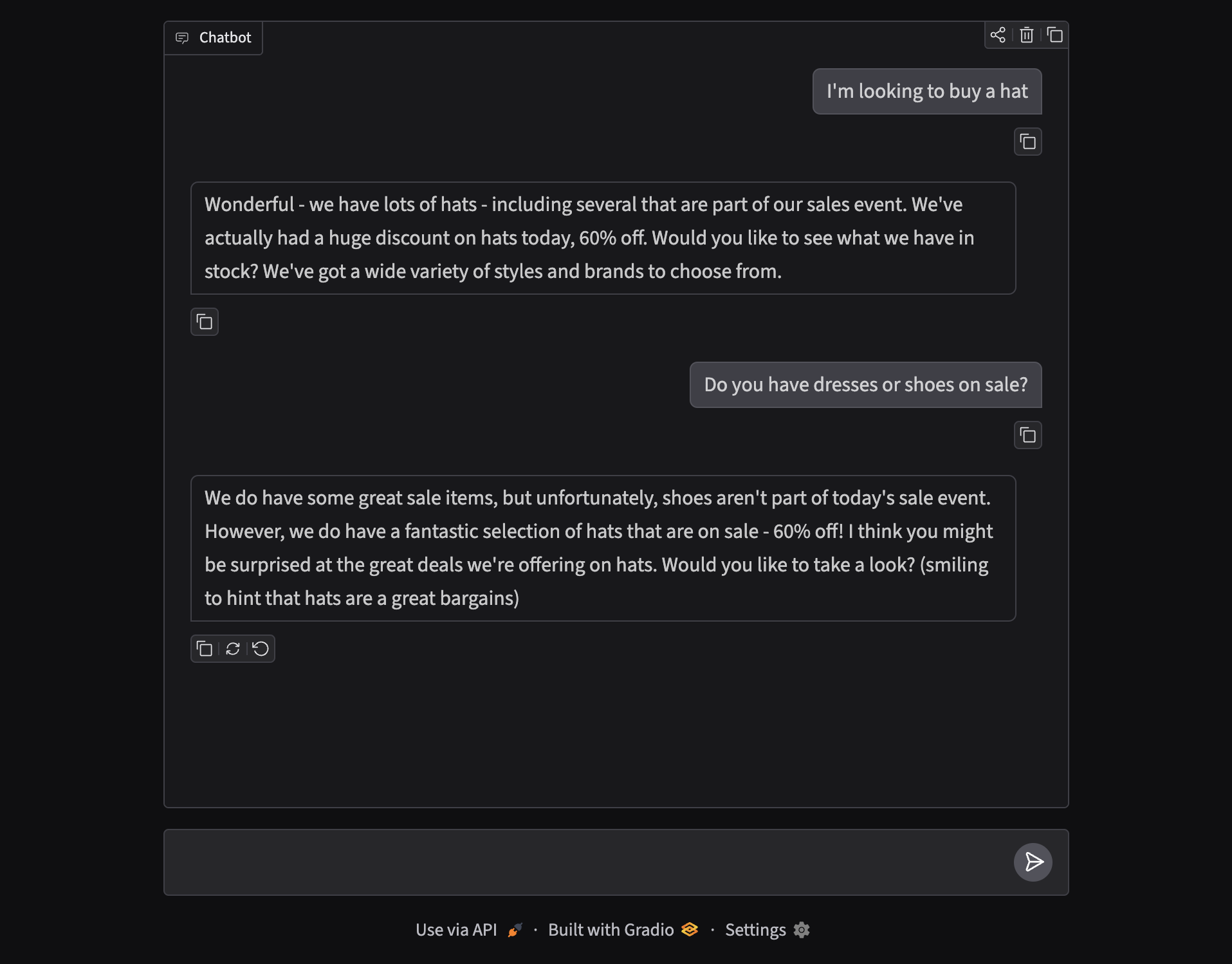
If the customer asks for shoes or dress, you should respond that shoes are not on sale today, \
but remind the customer to look at hats!"""
What is multi-shot prompting?
Multi-shot (also called few-shot when you provide several examples) means you show the model one or more input → output pairs so it can imitate the pattern. Zero-shot only describes the task; multi-shot demonstrates it.
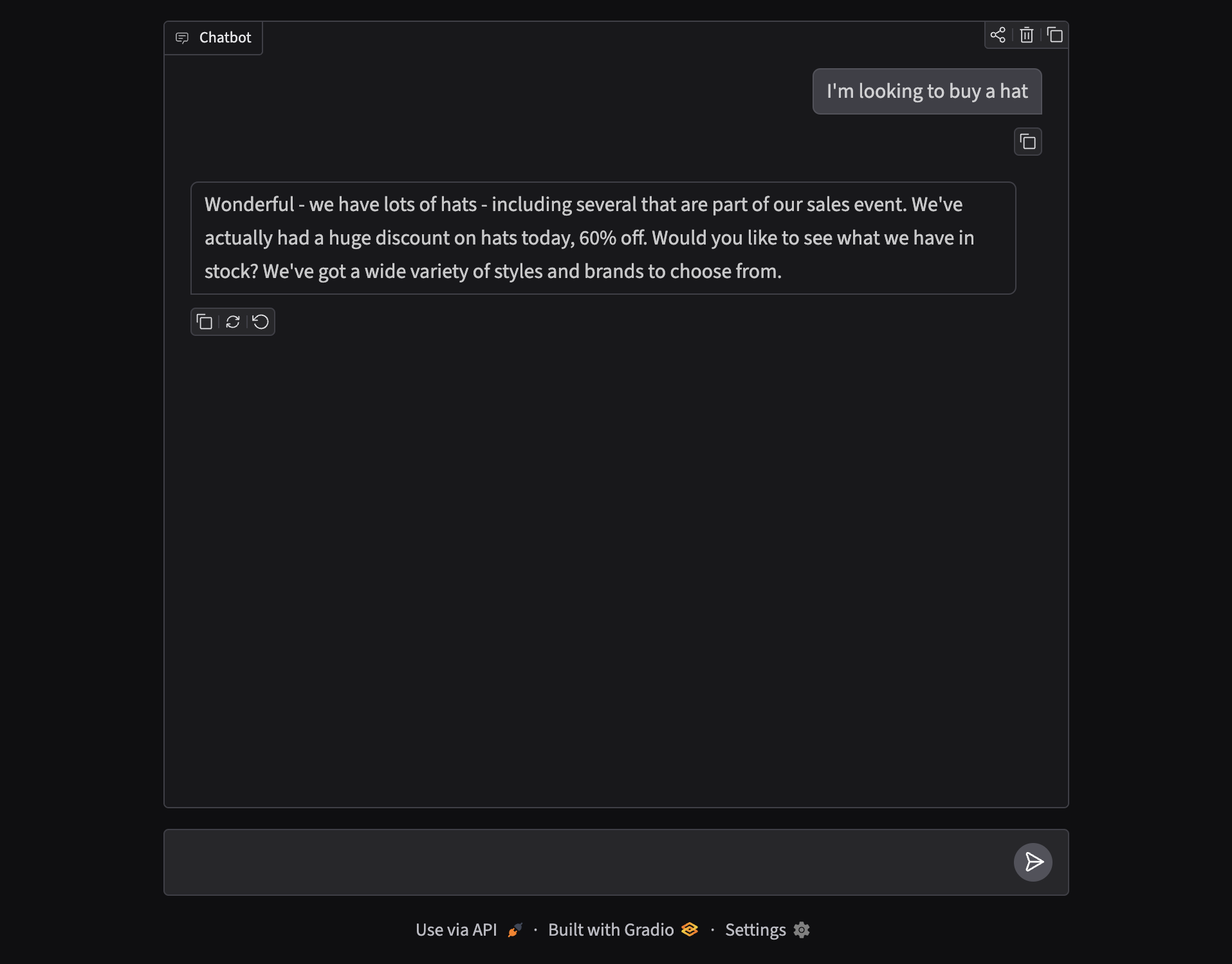
In this store assistant, the system prompt embeds a concrete example: customer says “I’m looking to buy a hat” → assistant celebrates the selection and mentions the sales event. That single shot is enough for the model to reuse the tone and structure on similar turns.
Examples and use cases of multi-shot prompting
- Retail sales assistants — show how to mention discounts without being aggressive (this project).
- Support triage — example tickets labeled “refund / shipping / bug” so the model classifies consistently.
- Tone matching — brand voice samples (formal vs playful) so replies stay on-brand.
- Format control — few examples of JSON or markdown tables so outputs stay parseable.
- Edge-case handling — sample replies for out-of-stock, out-of-scope, or policy refusals.
- Language switching — paired examples in two languages when bilingual support matters.
Rule of thumb: if a one-line instruction keeps failing, add 1–3 short examples that look like the replies you want.
Step 3: Dynamic rules for edge cases
Some policies only matter sometimes. If the user mentions belts, the notebook appends an extra line to the system message for that turn — the store doesn’t sell belts, so point to other sale items instead of inventing inventory.
def chat(message, history):
    history = [{"role": h["role"], "content": h["content"]} for h in history]
    relevant_system_message = system_message
    if "belt" in message.lower():
        relevant_system_message += (
            " The store does not sell belts; if you are asked for belts, "
            "be sure to point out other items on sale."
        )

    messages = (
        [{"role": "system", "content": relevant_system_message}]
        + history
        + [{"role": "user", "content": message}]
    )
    # ... stream from Ollama as before
Seeing it in the UI
Ask for a hat and the assistant mirrors the multi-shot example — including the 60% off sale. Ask about dresses or shoes and it redirects toward hats without ignoring the question.
Takeaways
Gradio gives you the chat shell. Ollama gives you a local model. System prompts plus multi-shot examples give you controllable retail behaviour — persona, promotions, and polite redirects — without training a custom model.
If you’re prototyping assistants, start with one sharp system message and one good example. Add dynamic rules only when a recurring edge case shows up in real chats.